


Your phone storage runs out just as you go to take the best photo of the trip.
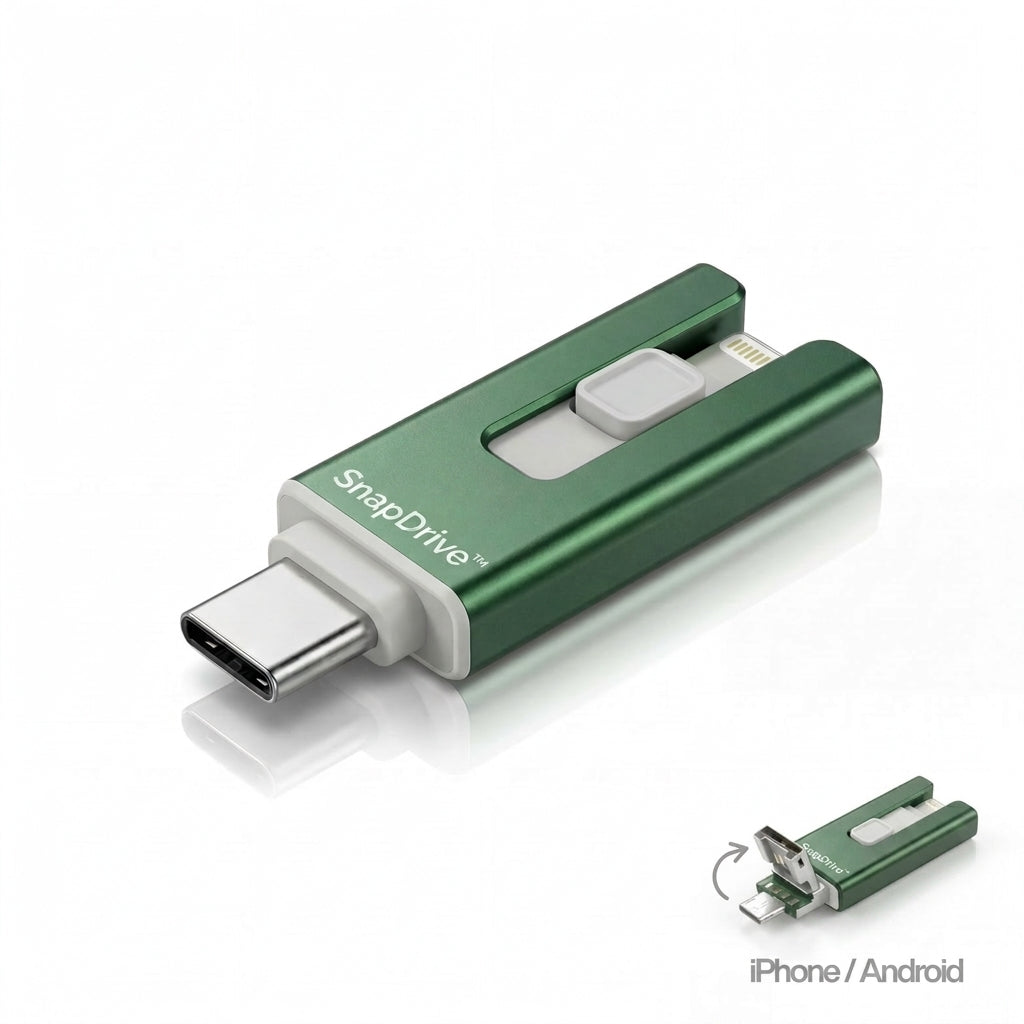
The dreaded "storage full" notification appears at exactly the wrong moment — on holiday, at a concert, mid-video. SnapDrive fixes it instantly: plug it in, transfer your photos and videos in seconds, and your phone memory is free again. No subscription, no app, no cloud account required — just plug-and-play directly with your smartphone, PC or Mac.
Benefits
- No more storage panic: Photos and videos move to the drive in seconds — you no longer have to delete memories or skip a shot because your phone is full.
- Hours of setup hassle gone: No login, no subscription, no app to configure — plug it in and it works straight away, even if you rarely deal with tech.
- Your files are no longer at risk: An offline backup sits on the drive rather than somewhere in a cloud account — you no longer have to worry about losing everything to a broken phone, a failed update or a lost password.
Specifications
- Connectors: 4-in-1 (Lightning, USB-C, Micro-USB, USB-A)
- Compatibility: iPhone, iPad, Android, Windows PC, Mac
- Storage options: 32 GB, 128 GB, 256 GB, 512 GB
- Colours: Blue, Black, Silver, Red, Gold, Pink, Green
- App required: No
- Subscription required: No

How to Use
- Insert: Plug SnapDrive into your smartphone or computer using the matching connector — no driver or installation needed.
- Select: Mark the photos, videos or documents you want in your gallery or file manager and copy them to the drive.
- Done: Remove the drive and your phone storage is free again — all files are stored safely offline on the SnapDrive.
Pro Tip: After every holiday or event, transfer all new photos to the SnapDrive straight away — your phone storage stays permanently free and you always have an up-to-date offline backup to hand.