


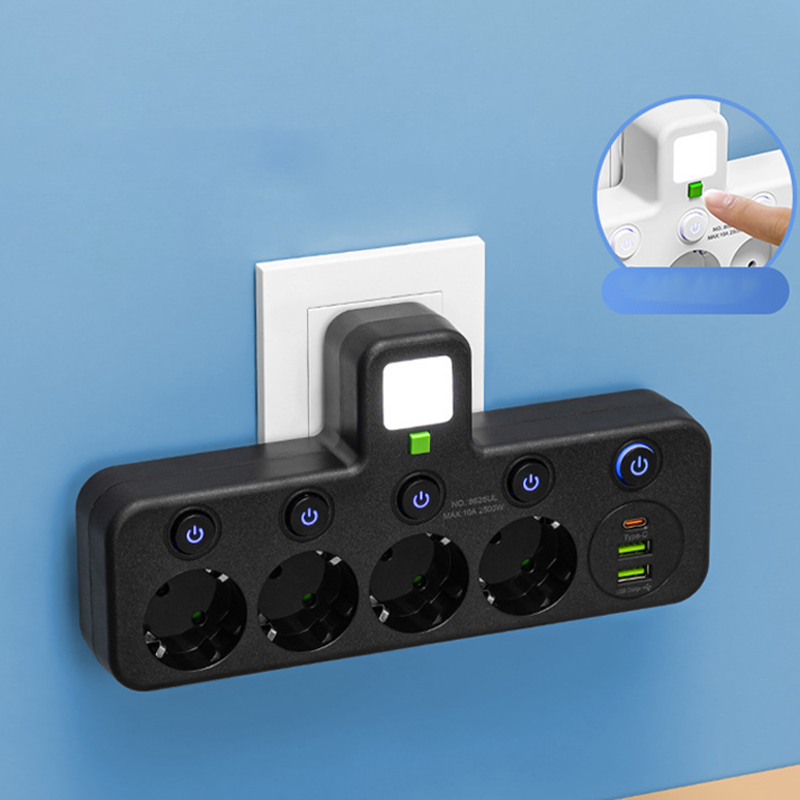
Every socket taken, charger dangling loose, and devices fighting for power at your desk.
When your desk has only one free socket and three devices demanding power at once, the day gets frustrating fast. Cables tangle, adapters fall behind furniture, and you're constantly swapping plugs. The PowerNest extension lead brings 2 to 5 individually switched sockets plus USB ports into one compact unit, so every device gets its own dedicated connection. The result is a clear, organised surface where each socket can be switched on or off independently, with an LED indicator confirming what's live at a glance.
Benefits
- No more hunting for a free socket: With up to 5 switched outlets in a single unit, you stop unplugging one device just to charge another — every device has its own permanent spot.
- No more crawling under the desk to cut power: Each socket has its own on/off switch with LED status light, so you can turn off idle devices from where you're sitting without touching the back of the unit.
- No more worrying about overloading the circuit: The unit is rated to a maximum of 2500 W and CE certified, so you no longer have to second-guess whether your setup is within a safe load limit.
Specifications
- Available colours: White, Black
- Number of sockets: 2 / 3 / 4 / 5
- Current rating: 10 A
- Max. power: 2500 W
- USB output: 5 V / 1 A
- Certification: CE
- Night light: Integrated dimmable light
- In the box: 1 x extension lead with USB ports

How to Use
- Position: Place the unit on your desk or beside your bed and plug it into a standard wall socket.
- Connect: Plug your devices into the individual switched sockets and connect any USB-powered devices to the USB port.
- Control: Use each socket's individual switch to turn connected devices on or off independently, checking the LED indicator to confirm status.
Pro Tip: Label each socket with a small sticky tab so you always know at a glance which switch controls which device — especially useful when the unit is out of direct sight behind a monitor.